Skip to content
GrokBotNews

Grok Build

Ships, changelogs, and Elon posts about the harness. Daily posts on a Mac do not copy to grok.me by themselves — republish if the public copy should move.

How to Download a YouTube Video and Clip It on Grok Bot

Sunday, August 30, 2026 by GrokBotNews0
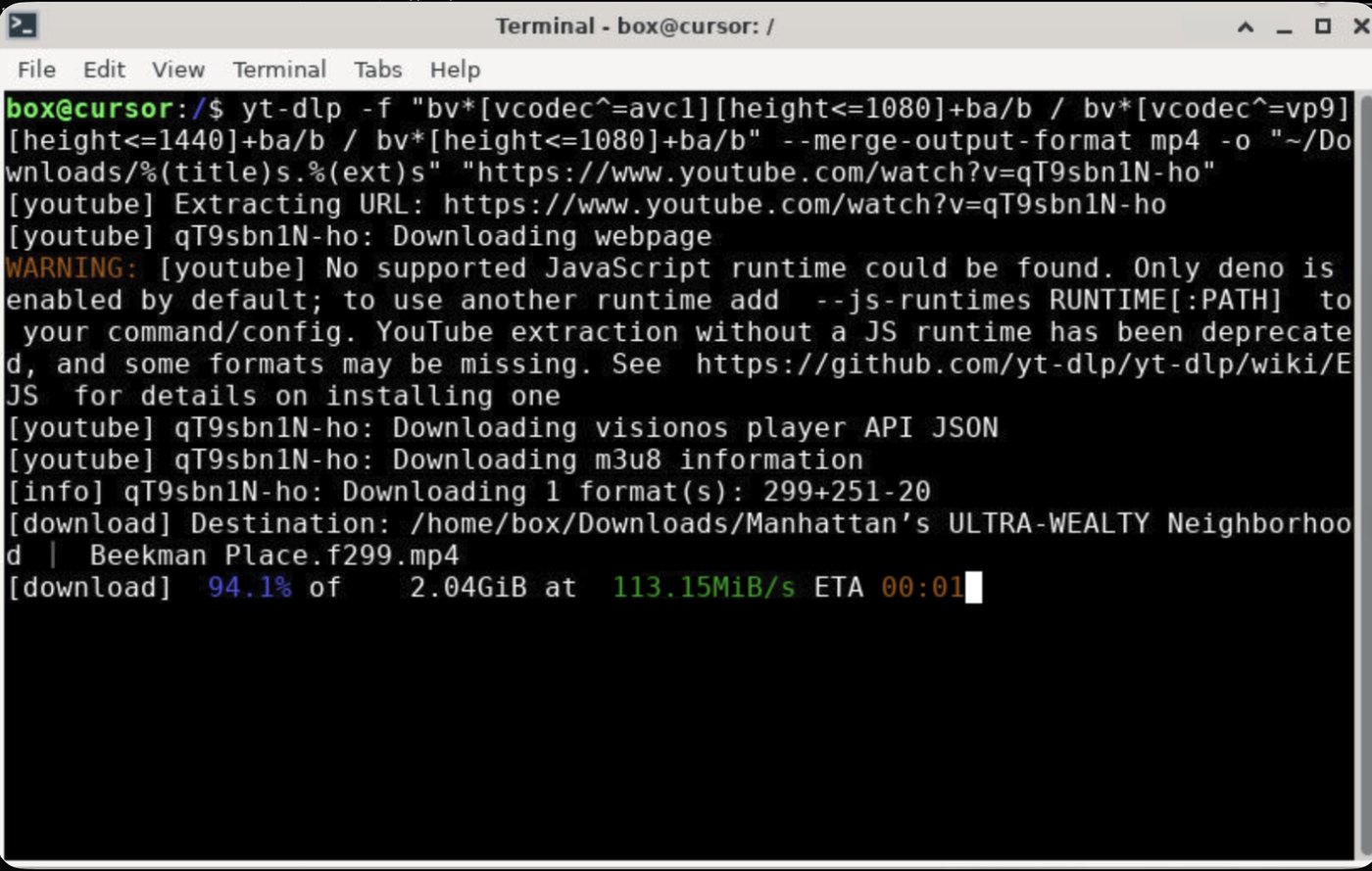
Grok Bot terminal: yt-dlp downloading a YouTube video into Downloads on box@cursor

Hand Grok Bot a YouTube URL, land a 4K file in Downloads on its computer, cut a clip without re-encoding, and save the download as a skill. Then share that Bot as a template if you want.

You can hand Grok Bot a YouTube URL, land a 4K file in Downloads on its computer, cut a clip without re-encoding, and save the download as a skill. Keep reading for the steps this desk used, then how to share that Bot as a template.

What you need

Log in to your YouTube account on the Grok Bot cloud computer (this provides credentials to the terminal so the download process can proceed smoothly).

You also need the Grok Bot app, updated; a Bot you can talk to (this desk used Video editor); and a YouTube URL.

On this desk the source was Drone Washington Square Park & Greenwich Village. The download came down as VP9 3840×2160 at 30 fps, merged to mp4, about 1.4 GB and 10 minutes 45 seconds. Your file will differ. Highest quality here meant keep that 4K stream, then clip with stream copy, not a re-encode.

How do you download the video?
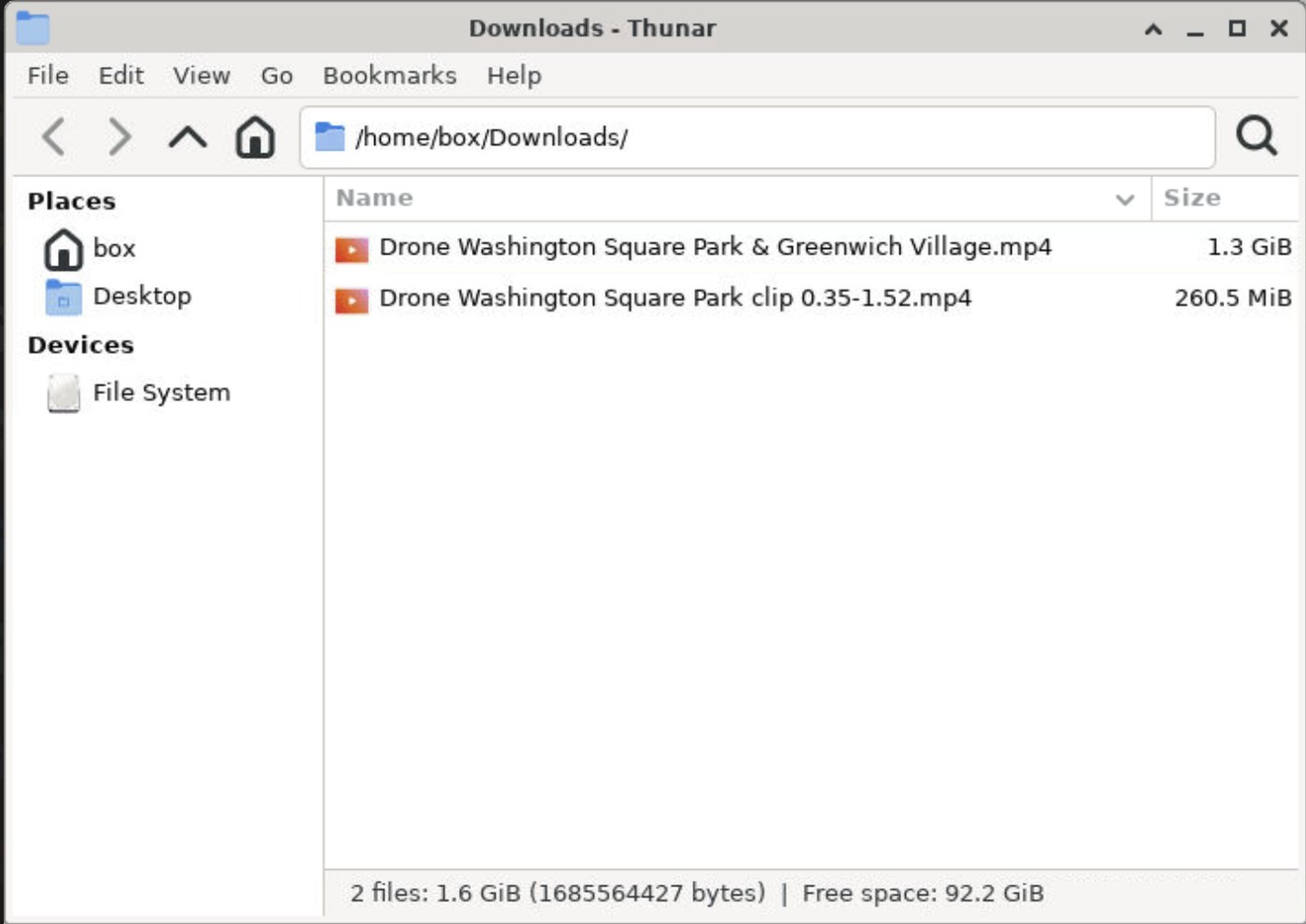
Downloads on the Grok Bot computer: the 1.3 GiB Washington Square Park file and the 260.5 MiB clip

1. Open the Bot.

2. Paste the YouTube URL. Ask it to save the file into Downloads on its computer, in the highest quality it can get, merged to mp4. If you want to see it on the desktop, say so.

3. If you already have a yt-dlp line, paste that too and tell it not to change the format flags on the first try.

This is the command that worked here. ~/Downloads on the Bot’s computer already pointed at the real Downloads folder. It did not need rewriting.

yt-dlp -f "bv*[vcodec^=vp9][height<=2160]+ba/b" -S "res:2160" --merge-output-format mp4 -o "~/Downloads/%(title)s.%(ext)s" "URL"

What to check when it finishes: title, full path, duration, resolution, codecs, and file size. On this desk that was formats 313+251 merged to mp4, VP9 video plus Opus audio, in Downloads, with a copy in Desktop because we asked for it to be visible.

How do you clip it without losing quality?

1. Name the file you just downloaded.

2. Give in and out times. This desk used 0:35 to 1:52, a 1:17 clip.

3. Ask the Bot to cut with stream copy, not a re-encode, and to keep 4K.

The clip command that kept VP9 4K and Opus:

ffmpeg -y -ss 00:00:35 -i INPUT.mp4 -t 00:01:17 -c copy -avoid_negative_ts make_zero -movflags +faststart OUTPUT.mp4

Swap the times for your cut. -c copy is the quality trick: it copies the existing streams instead of encoding again. The clip here landed at 3840×2160, 77 seconds, about 261 MB, in Downloads (and Desktop again, because we asked).

How do you save this as a skill?
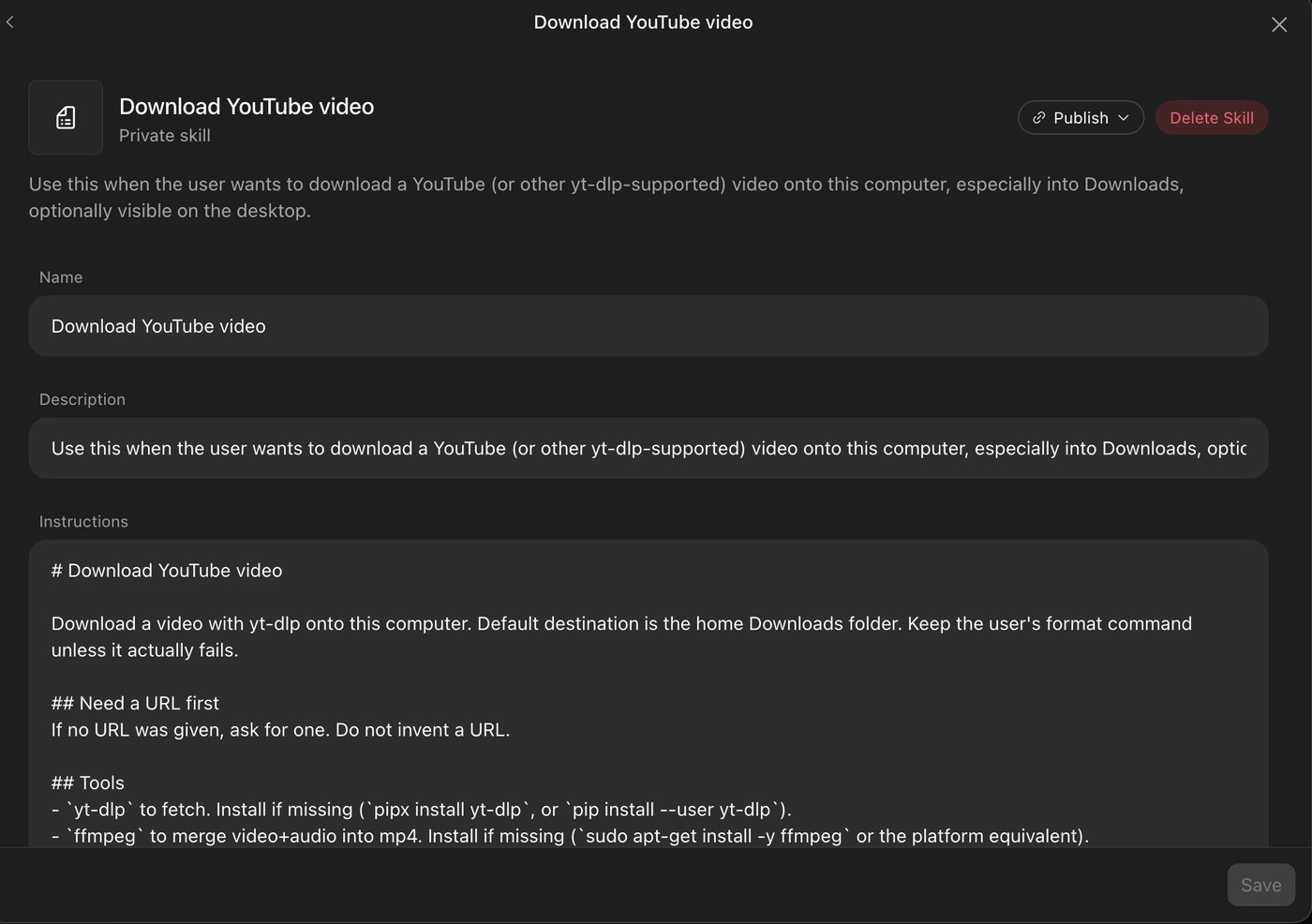
Download YouTube video — private skill in Grok Bot, with Name, Description, and Instructions

Once the download has actually worked, ask the Bot to turn that process into a skill. This desk’s skill is named Download YouTube video. It shows as a private skill.

1. Open the skill. Check Name, Description, and the instructions.

2. Description should say when to use it, not dump keys or private paths. This one: use it when the user wants to download a YouTube (or other yt-dlp-supported) video onto this computer, especially into Downloads, optionally visible on the desktop.

3. Instructions should require a URL, install yt-dlp and ffmpeg if they are missing, keep the VP9≤2160 merge-to-mp4 command unless it fails, copy to Desktop only if asked, then report title, path, duration, resolution, codecs, and size. Do not re-encode on download.

4. Select Save.

5. Publish and Delete Skill sit in that same skill window. A private skill stays on your Bot until you share the Bot.

Can you share the Video editor Bot?

Yes, as a Grok Bot template, after the skill exists. xAI’s Create and manage Bots page is the official walkthrough, and we covered the feature in Grok Bot Adds Shareable Templates.

1. Open the Bot and copy its share link.

2. Send the link. The recipient opens a preview on x.ai and can choose Add to Grok Bot.

3. They need the Grok Bot app to finish adding it.

The public link includes identity, description, skills, and routines. The Download YouTube video skill can go with that pack. The actual mp4 files, YouTube cookies, logins, and chat history do not.

Before you copy the share link, go to Bot actions → Edit Profile. Rewrite Description so it only says what the Bot does, in public terms. Then check skills and routines for keys, URLs, and names. A clean Description is not enough. If a skill still has a secret in it, they get that skill with the secret in it.

The working path is: paste a URL, land the file in Downloads, clip with -c copy, then save the download as a skill. Share the Bot after that, if you want someone else to start from the same setup.

Video editor Grok Bot template
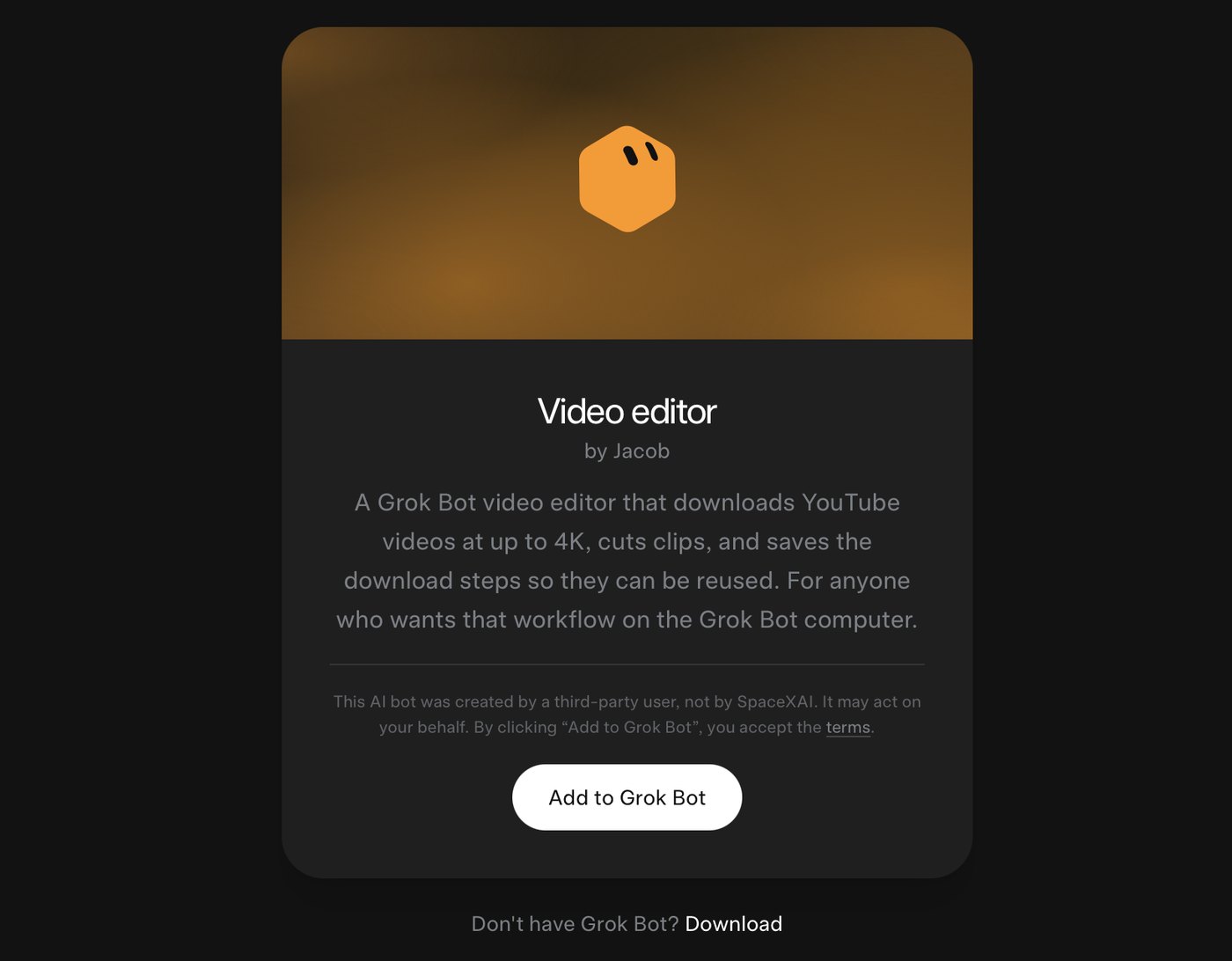
Video editor by Jacob — Add to Grok Bot template card

Ready to download to your Grok Bot app — just click:

Video editor by Jacob — Add to Grok Bot
https://x.ai/bot/FIFv0vSALmKzpYJlTDnj1

Related

GrokBotNews — Grok Bot Adds Shareable Templates
/article/grok-bot-shareable-templates

xAI — Create and manage Bots
https://docs.x.ai/grok-bot/bots

Source video used on this desk — Drone Washington Square Park & Greenwich Village
https://www.youtube.com/watch?v=SKtg-MXNZbI
How to Install and Get Started With Grok Build in Terminal

Wednesday, August 26, 2026 by GrokBotNews0

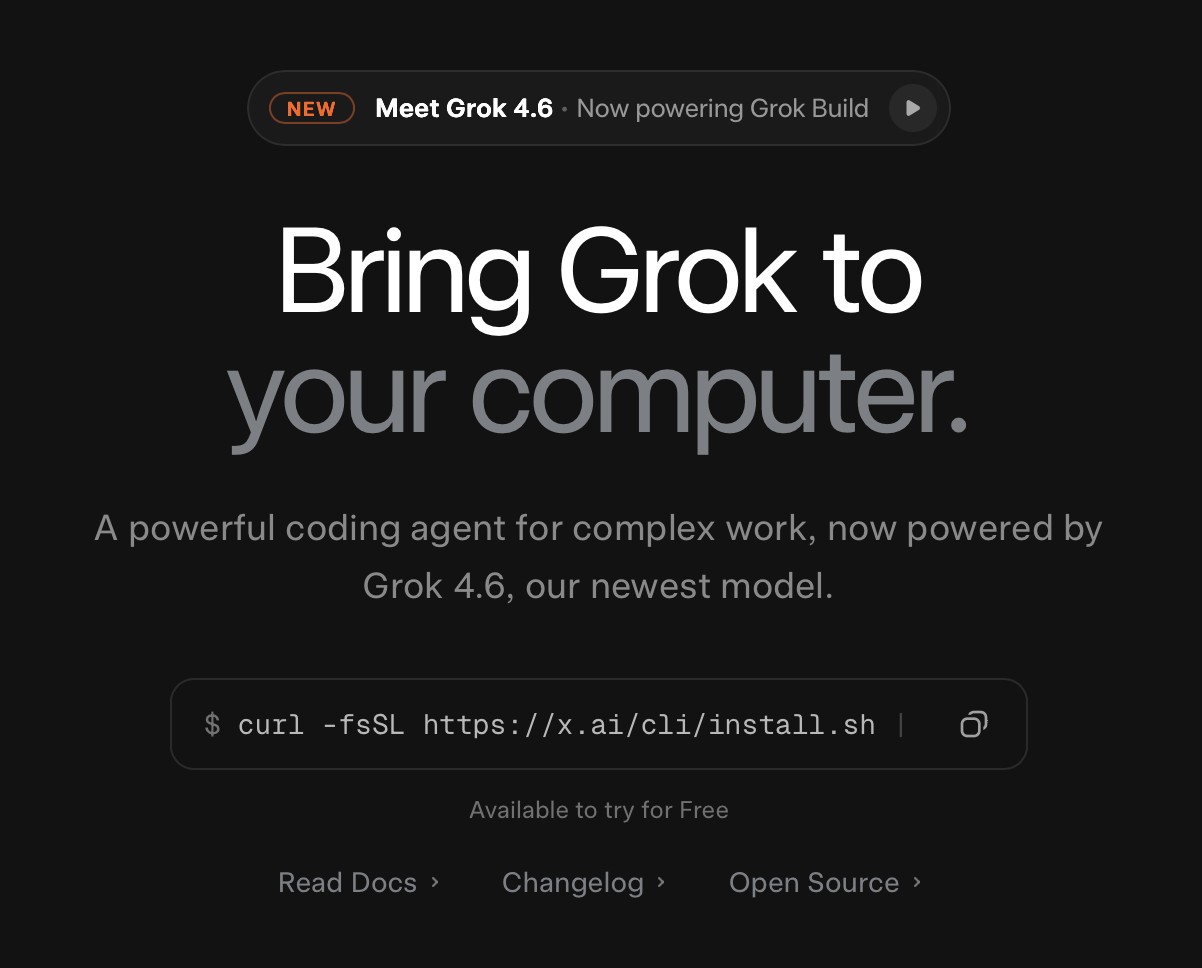
x.ai/build: Bring Grok to your computer — curl install for Grok Build

Looking to try an AI coding agent directly on your machine? Here is a step-by-step walkthrough on how to install Grok Build via the command line, sign in with your X account, and start your first project.

What Is Grok Build?

While standard Grok features operate directly through the web and mobile apps, Grok Build functions locally within your computer’s command-line interface (such as Terminal on macOS).

Rather than working strictly in an isolated cloud chat, Grok Build can interact directly with the local files and directories on your Mac or PC, allowing you to generate, edit, and organize project code using natural language prompts.

Compatibility & Account Requirements

Before getting started, ensure you meet the following requirements: macOS, Linux, or Windows (PowerShell); an active X account (SuperGrok or X Premium+ subscription tier; promotional trial access may vary); and command-line access via Terminal (macOS/Linux) or PowerShell (Windows).

How to Install Grok Build

On Mac and Linux: open the Terminal app (found in /Applications/Utilities/ or via Spotlight on macOS). Copy and paste the following command into the window and press Return:

curl -fsSL https://x.ai/cli/install.sh | bash

On Windows: open PowerShell as an administrator. Paste the following command and press Enter:

irm https://x.ai/cli/install.ps1 | iex

Running Your First Session

In your command line window, navigate to the folder where your project files live (or create a new directory). Type grok and press Return.

On the first launch, follow the on-screen prompts to authenticate and sign in with your X account. Once authenticated, the prompt will open. You can begin immediately by asking simple prompts in plain English, such as: “What can we build with the files in this directory?”

Alternative: Web-Based Build Mode

If you prefer not to use the terminal right away, xAI also offers a browser-based version. Navigate to grok.com/?mode=build in any web browser. Sign in to test project workflows directly on your iPhone, iPad, or Mac. When you are ready to apply changes directly to your local file system, you can switch back to the Terminal version at any time without losing context.

Elon: Grok Bot is open to SuperGrok and Cursor Pro — weekly limits reset

Wednesday, August 26, 2026 by GrokBotNewsElon's post0

Grok Bot: A new kind of colleague

SuperGrok and Cursor Pro now get Grok Bot. Weekly limits reset. If the bar still says 100%, give it a go anyway — you can build or chat again.

Elon quoted @bot this afternoon. SuperGrok seats get Grok Bot. Cursor Pro seats get Grok Bot. Weekly limits reset for everyone. The link is still x.ai/bot.

It’s working now — at least it is on this desk. You can link X Premium+ / SuperGrok to a Grok Bot (Cursor) account, even a free Cursor one. The usage bar might still show 100%. Just give it a go. You can build or chat again.

Grok Bot is the cloud teammate. You give it a job in English. Grok Build is the one in Terminal, on your files. People mix the names. Don’t. Two doors.

From the comments

I wrote under the @bot post that I’m thinking about SuperGrok Plus to tinker with Grok Bot and get more compute for Grok Build in the terminal. That’s the whole setup I want. Bot for cloud chores. Build for the machine in front of you.

@JcFiscus had SuperGrok on the account and the product still said no. Access posts and the actual switch can lag. Wait, sign out, try x.ai/bot again before you buy a second plan.

@thirtythree called Premium+ an insane deal now: ad-free X, SuperGrok, and Grok Bot. That’s a packing list. Check the X Premium page for what you actually pay.

The post

Elon Musk

@elonmusk

Free usage limit reset for Grok @Bot users

Grok Bot @bot

All SuperGrok and Cursor Pro subscribers now have access to Grok Bot. We're also resetting weekly usage limits for all users. Enjoy!

Wednesday, 26 August 2026 8:12 pm BST

Grok Bot or Grok Build — which one do you open first?

Wednesday, August 26, 2026 by GrokBotNews0

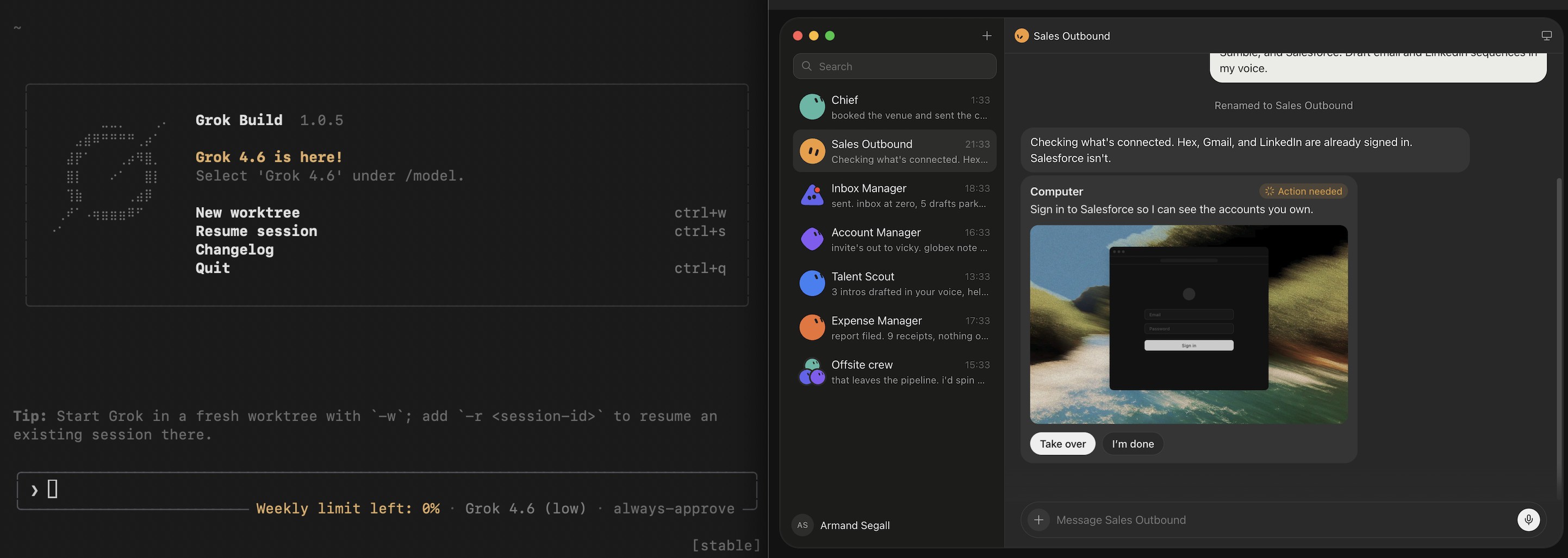
Grok Build terminal beside a Grok Bot Sales Outbound session

Two doors. Bot is a teammate in the cloud. Build sits in Terminal, on the files on that Mac. People mix the names. Here’s the map.

Grok Bot

Open x.ai/bot or the Grok app. Describe a job. It can search, write, use tools, keep going. SuperGrok and Cursor Pro just got seats; weekly limits reset today. Good first jobs: “summarise these links,” “draft replies I will send myself.” Bad first job: your only bank login.

Grok Build

Open Terminal. Install from x.ai/build. Type grok inside a project folder. It reads the files on that computer. You talk. It edits. This is how people ship grok.me sites. Good first job: “look at this folder, then make a README.” Bad first job: “delete anything you don’t like.”

You can use both

That’s what I want SuperGrok Plus for — tinker with Grok Bot, more compute for Grok Build in the terminal. Bot for the cloud loop. Build for the repo. On a phone, grok.com/?mode=build until you get home.

Start with Bot if you don’t want to install anything. Start with Build if the work is already on your disk. Come back here when either one ships something with a URL.

Grok Build in the terminal: one install, then the machine is the harness

Monday, August 24, 2026 by GrokBotNews0

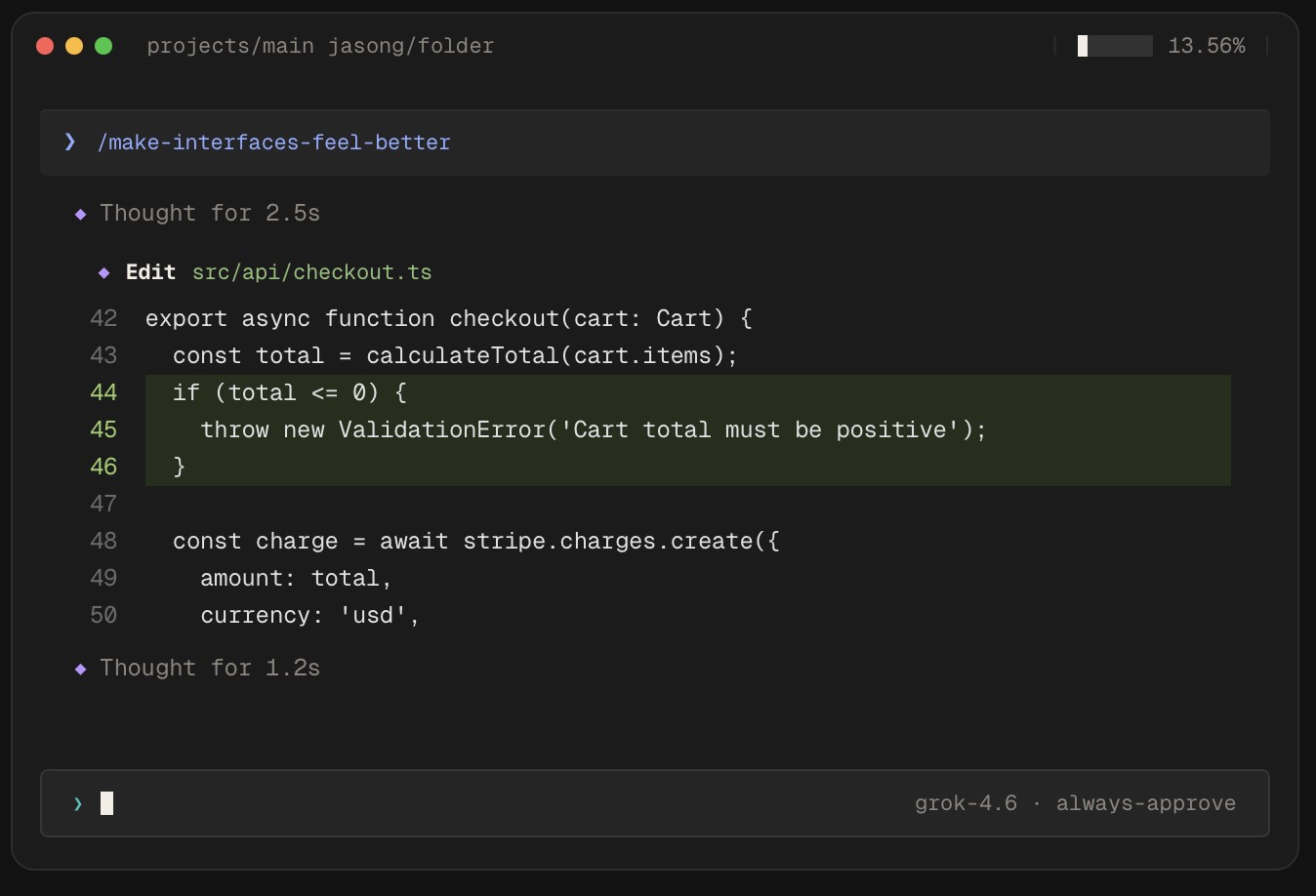
Grok Build in the terminal editing checkout.ts on grok-4.6 always-approve

One install from x.ai/build. Type grok in a folder. That’s it — the agent is on your actual files, not a chat tab that spits a gist.

Install is still one line. Mac: curl -fsSL https://x.ai/cli/install.sh | bash. Windows: irm https://x.ai/cli/install.ps1 | iex. The page says Grok Build is on Grok 4.6 now. Plan Mode, subagents, fullscreen terminal. That’s the official surface.

You drop it on a folder and talk. It works against the files on that box. SuperGrok and Premium+ get more usage. If the bar looks full, try anyway — today it was resetting even when the meter still said 100%.

If you only open grok.com you will miss the point of this one. The page is telling you to install. The work happens next to your files.

Grok Build on the web: grok.com/?mode=build, same quota as the CLI

Monday, August 24, 2026 by GrokBotNews0

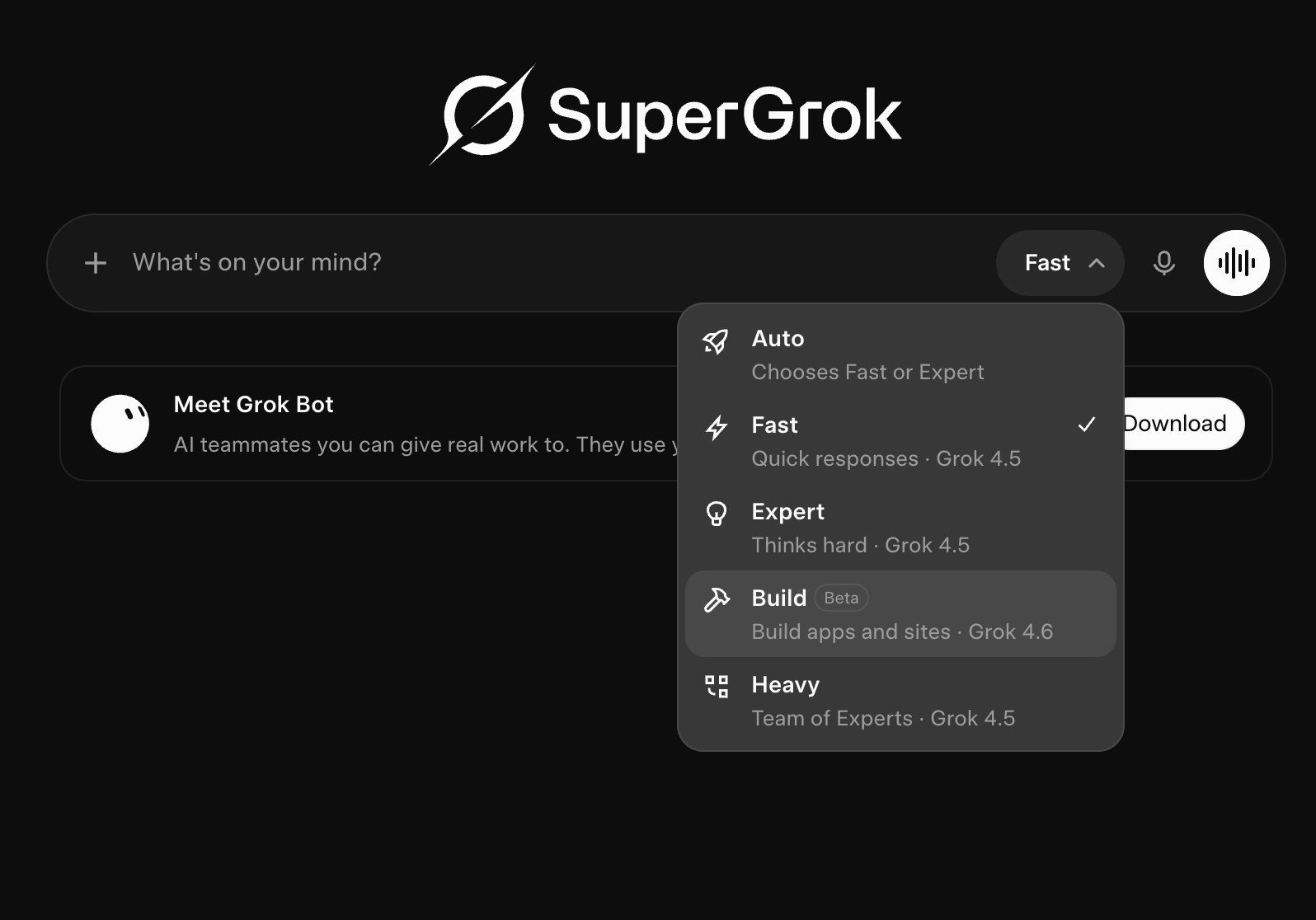
SuperGrok mode menu with Build (Beta) — Build apps and sites on Grok 4.6

grok.com/?mode=build — same idea as the terminal, in a browser. That’s how a chat that started on iPhone keeps going on a laptop.

Two doors. Terminal install at x.ai/build, or the browser: grok.com/?mode=build. SuperGrok is the heavier coding tier. Plus gives more Build. Check Settings → Usage if you want the meter.

The web one is why a chat can start on the iPhone and keep going on a laptop without a new thread. This site was built that way. Phone first. Then the Mac. Same session. Didn’t restart. Just continued.

Browser is great when you’re not at your desk. Terminal is home when the files are on that computer. Use whichever door is in front of you.

Plan Mode on Grok Build: every edit blocked until you say yes

Monday, August 24, 2026 by GrokBotNews0

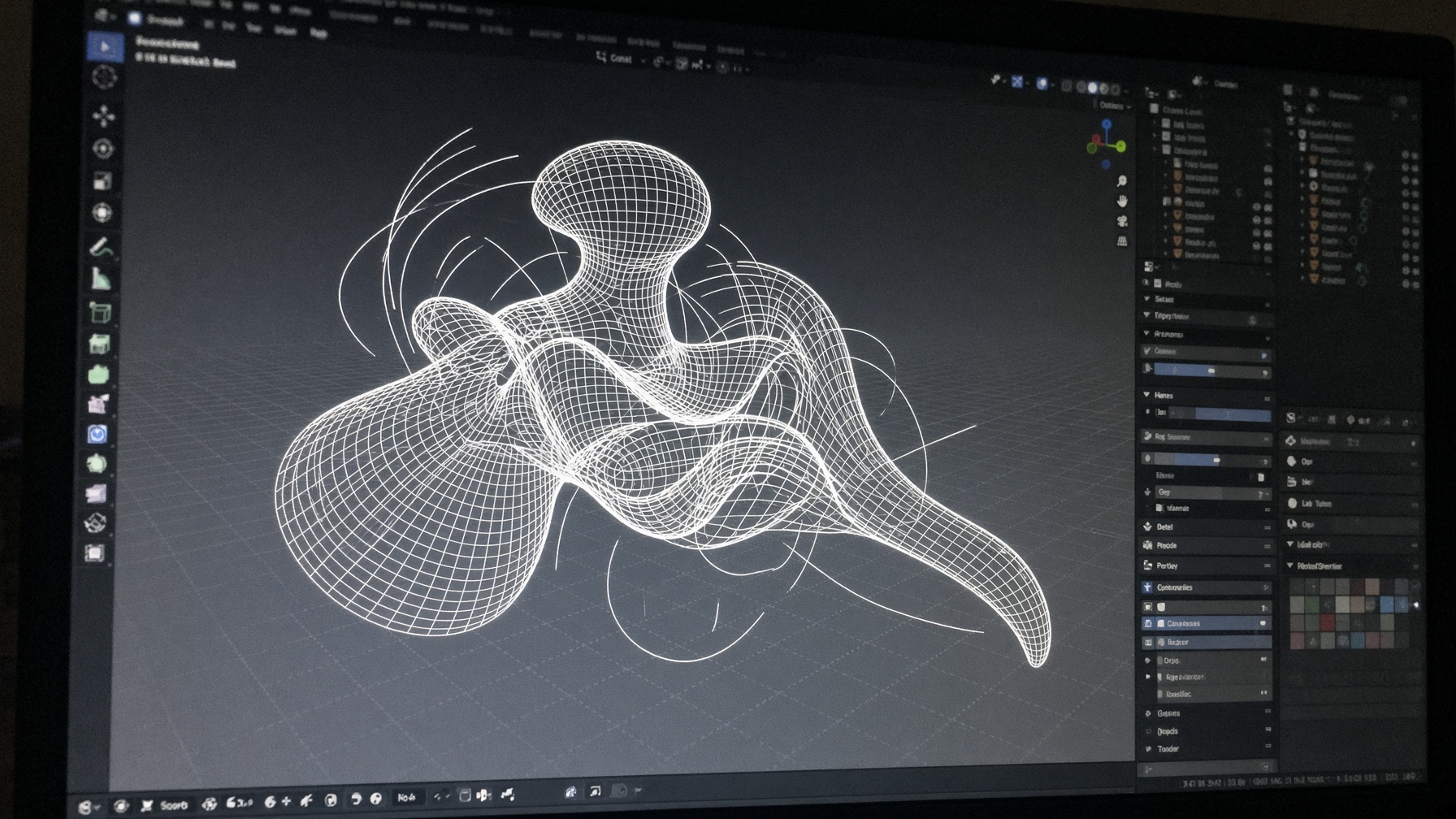
A Blender viewport — the kind of long job Plan Mode is built for

x.ai/build’s own copy: start in plan mode for complex work. Diffs stay blocked until you approve, comment on a step, or rewrite the plan. Subagents run beside the parent session instead of freezing it.

The marketing example on x.ai/build is a real class of job: “Migrate auth from sessions to JWT with token rotation.” Plan Mode is supposed to write the plan first, block every edit, then show a clean diff after you approve. You can comment on a single step or throw the whole plan out.

Start in plan mode for complex tasks — every edit is blocked until you approve.
x.ai/build, August 2026

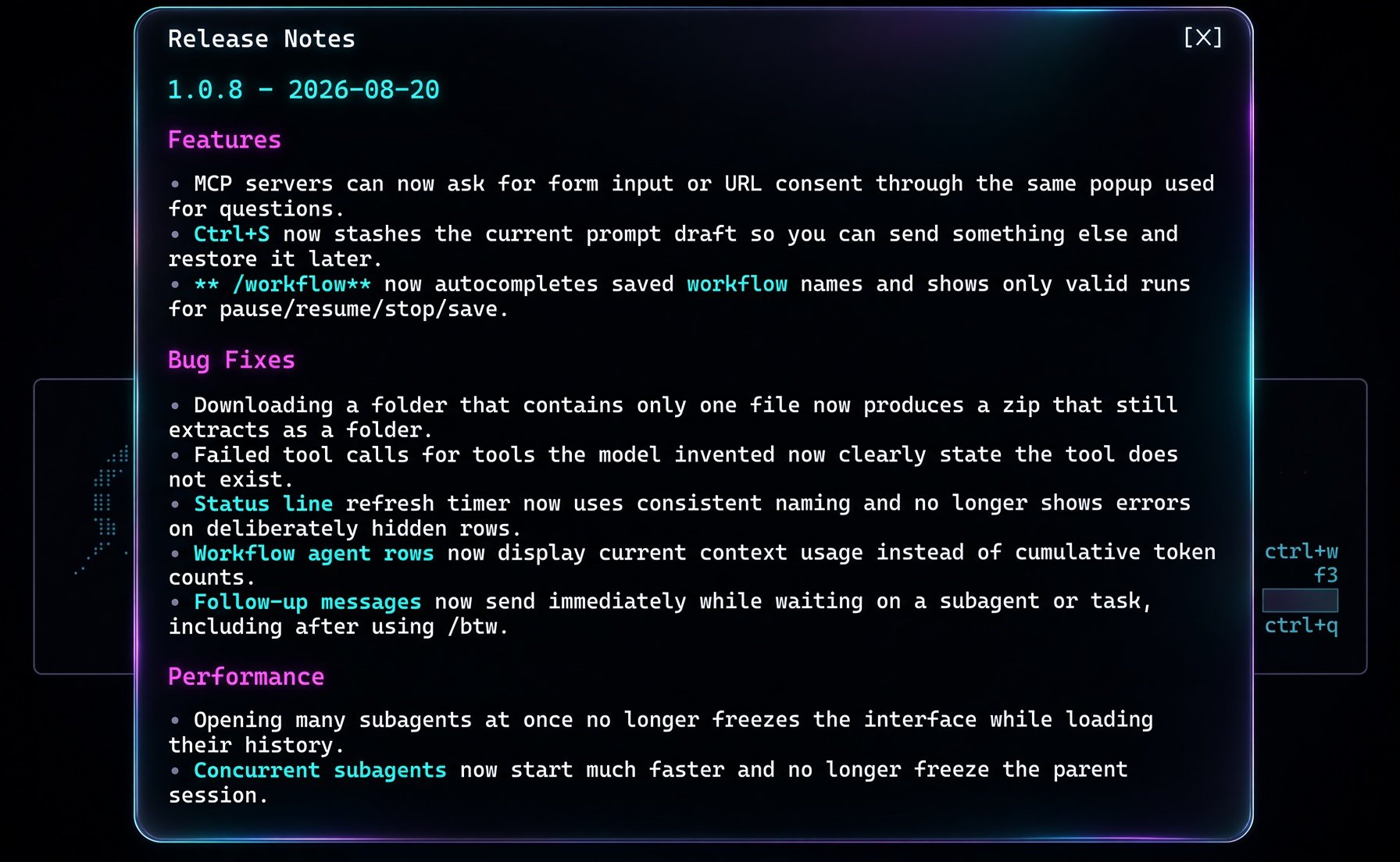
That is the adult version of “the agent ran off and npm-installed the internet.” The 1.0.8 line Elon quoted earlier is the other half: concurrent subagents start faster and no longer freeze the parent; follow-ups send while a subagent is still running; Ctrl+S stashes a draft. Plan Mode decides; subagents grind.

Mouse support is on the current product page next to the fullscreen terminal UI. The same page still calls the CLI keyboard-first. Both can be true: mouse for the plan viewer, keys for the loop.

If a demo skips the plan and jumps to a wall of file writes, that is not the workflow the page is selling. Ask to see the plan.md, then the diffs.

Grok 4.6 is the model behind the harness today. The harness is the product. A good plan on a weaker model still beats a 4.6 dump with no gate.

Grok Build vs Cursor: one user keeps leaving the IDE for the terminal

Monday, August 24, 2026 by GrokBotNews0

Cursor-related still used as context for a Grok Build vs Cursor workflow

@sfxnz, 24 Aug: plan and implement in Grok Build, hand reviews to Cursor cloud agents. He still walks back to the terminal. Not a scored eval — a usage note from someone who has both.

This is Sufyan’s post, not a SpaceXAI chart. He has both tools. He keeps leaving Cursor for the Grok Build terminal, then invents a split: plan and implement in Build, send reviews and tests to Cursor cloud agents. He also says to run pstack in both.

That split matches how the two products are actually shaped. Grok Build’s page is a local agent on your files with Plan Mode. Cursor’s cloud agents are a review/test farm that does not need your TTY. Using both is not indecision. It is picking a surface per job.

Elon has been pointing people at “Grok Build harness or Cursor” since the 4.6 drop. This post is someone doing exactly that, then choosing the terminal for the part that hurts.

Do not turn one anecdote into a leaderboard. If you want a measurement, run the same prompt in both, same repo, same night, and keep the diffs. @wowxtechie said that under Victor’s harness tour last week. It still holds.

Chris W called Grok Build the cleanest CLI he has used as a non-CLI person, next to Devin and Hermes. Also one user. File it next to Sufyan, not above a SWE-bench table.

The useful sentence in the thread is the compromise, not the crush. Plan in the terminal. Let Cursor’s cloud agents be the night shift.

The post

Sufyan

@sfxnz

Once you try grok build for serious work it’s very difficult to stop using grok build for serious work I keep switching between cursor and grok build but something in me keeps wanting to go back to grok build every time I leave the terminal Maybe the best compromise is, plan and implement in grok build, handoff to cursor cloud agents for reviews, verification and testing.

Monday, 24 August 2026 8:41 pm BST

Evan Bacon built a flight sim on the walk home — aero.grok.me

Saturday, August 22, 2026 by GrokBotNews0

Evan Bacon (@Baconbrix, Grok at SpaceXAI) says he built Grok Flight Simulator in the Grok app on his walk home. Play it at aero.grok.me and remix to another city. His post, his clip. We opened the URL.

This is Evan Bacon’s post. He works on Grok at SpaceXAI. The walk-home origin is his account. Measured: aero.grok.me is a live Grok Build ship, and the attached clip is a cockpit flyover. GrokBotNews did not time the walk or rebuild the sim.

The clip is the product: a browser flight sim, remix-to-a-city, published at aero.grok.me. Grok replied on the thread calling out a Golden Gate flyover. Andrew Milich and Lingxi Li from the same orbit chimed in. The interesting part for this desk is the loop — phone Grok app, a commute, a playable .grok.me — not the skybox.

Just built Grok Flight Simulator with the @Grok app on my walk home. Play it now and remix to your favorite city.
Evan Bacon, 21 Aug 2026

Open the site. Remix if it actually lets you. The video on this page is muted and looping; the original with audio is on X.

The post

Evan Bacon

@Baconbrix

Just built Grok Flight Simulator with the @Grok app on my walk home. ✈️ Play it now and remix to your favorite city https://aero.grok.me/

Friday, 21 August 2026 4:00 pm BST

Victor: trying every agent harness — Cursor still king, for now

Saturday, August 22, 2026 by GrokBotNews0

Grok Build v1.0.8 terminal: Grok 4.6 extra high, prompt about how important the harness is

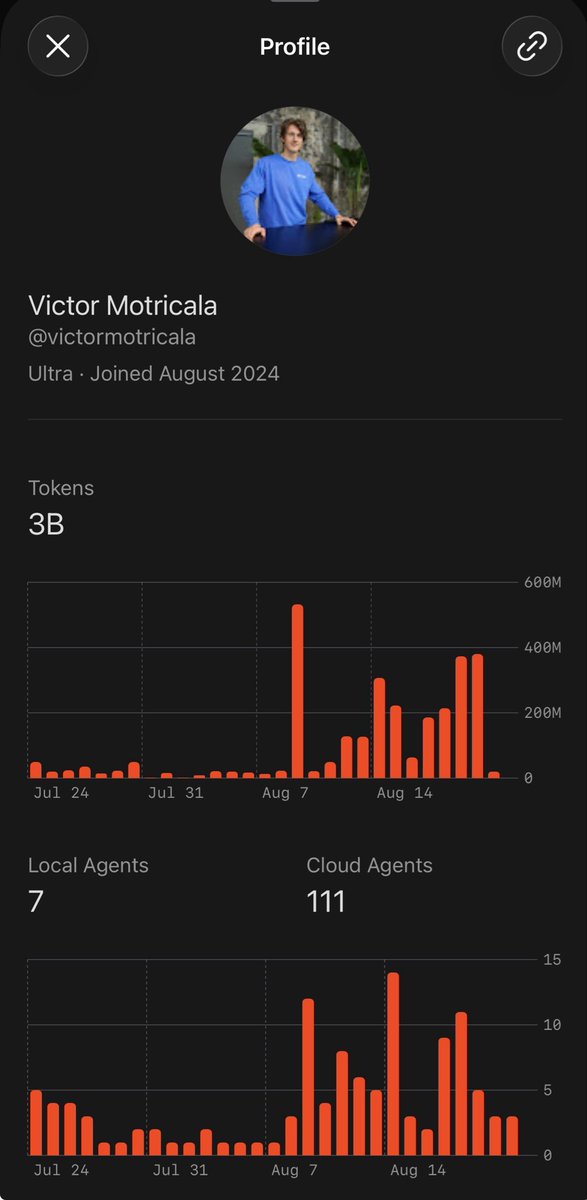
Cursor ambassador Victor Motricala is running Cursor, Qwen, Pi, Grok Build, Conductor, Amp, OpenCode, Codex, Claude Code, DeepSeek, Superset. So far he says Cursor remains the king. That is his impression, not a scored bake-off. A detailed review is promised.

This is Victor Motricala’s post (@VictorMotricala, Cursor Ambassador). “Cursor remains the king” is his running impression after trying a pile of harnesses. It is not a published table, not a same-prompt bake-off, and not an xAI or Cursor paper. He says a detailed review is coming. Treat the crown as claimed until the review lands with a protocol.

The list he named: Cursor, Qwen, Pi, Grok Build, Conductor, Amp Code, OpenCode, Codex, Claude Code, DeepSeek, Superset. The still attached is Grok Build v1.0.8 on Grok 4.6 extra high, with a prompt about how important the harness is. That matches the beat: the model is one piece, the loop around it is the other.

I’m trying out all the AI Agent harnesses. … I’ll post a detailed review. So far, Cursor remains the king.
Victor Motricala, 22 Aug 2026

Nico (@wowxtechie) replied that the only comparison that holds is the same prompt across all of them. That is the right check. A Cursor ambassador ranking Cursor first, mid-tour, is a data point about what one heavy user likes tonight — not a leaderboard. Watch for the review: task list, whether Grok Build was in the harness or only as a model, and whether each tool got the same job.

The post

Victor Motricala

@VictorMotricala

I’m trying out all the AI Agent harnesses. Cursor, Qwen, Pi, Grok build, Conductor, Amp Code, Opencode, Codex, Claude Code, Deepseek, Superset… you name it. I’ll post a detailed review. So far, Cursor remains the king 👑

Saturday, 22 August 2026 9:56 pm BST

Lummox: give Grok Bot a computer, five tools, and 24 hours

Saturday, August 22, 2026 by GrokBotNews0

Still from Lummox’s Grok Bot video: a computer, tools, and a 24-hour job

Lummox posted a new video: one computer, five tools, 24 hours, and “chatbot” starts feeling outdated. This is his follow-up to the 3-job demo Elon quote-posted — his post, his clip, not an eval.

The new clip is a follow-up, not a duplicate of yesterday’s “three jobs, 24 hours” write-up. Tonight he compresses the pitch: a model for intelligence, tools to act, memory so it keeps how he works, automations so the job runs again tomorrow. Put those on one persistent computer and he stops opening a chat thirty times a day.

Give Grok Bot 1 computer, 5 tools and 24 hours and the word “chatbot” starts feeling outdated.
Lummox, 22 Aug 2026

Watch the video. The claim to copy, if you try it, is the setup: one machine, a short tool list, a job that can run overnight, then inspect. Open on X for the original file.

The post

Lummox

@Lummox_eth

Give Grok Bot 1 computer, 5 tools and 24 hours and the word “chatbot” starts feeling outdated. A model gives me intelligence. Tools let it act. Memory lets it retain how I work. Automations let the same job run tomorrow without rebuilding everything from zero. Combine those pieces inside a persistent environment and something changes. I’m not opening AI 30 times a day just to keep the workflow moving. I can increasingly assign the objective and return when my judgment is actually required.

Saturday, 22 August 2026 9:29 pm BST

Rakazo: an open-source Grok Bot alternative you can run locally

Saturday, August 22, 2026 by GrokBotNews0

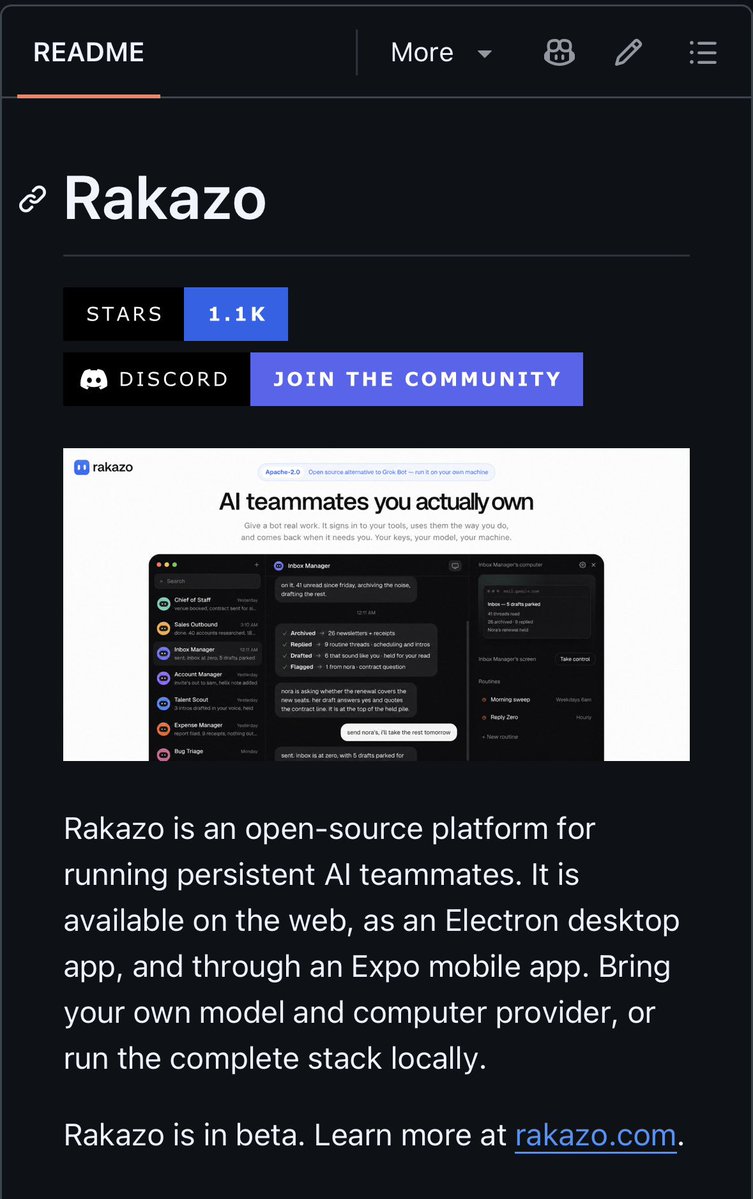
Rakazo UI: persistent AI teammates with computer, browser, and chat

Elie Goldstein’s Rakazo is on GitHub as a Grok Bot alternative: persistent teammates with memory, browser, terminal, and a computer — pick your own model, including local. We opened the repo. The 1.1k stars and the README are measured; we did not stand up a sandbox.

Measured: github.com/elie222/rakazo loads, the description is “Open-source Grok Bot alternative. Choose your own model and sandbox,” and GitHub showed about 1.1k stars when we opened it. Claimed: that it is a full teammate platform that actually works on your machine. GrokBotNews did not clone it or run a bot.

Khushi (@khushiirl) posted the stills this afternoon. The repo is Elie Goldstein’s (@elie222). The README calls Rakazo a platform for persistent AI teammates with their own conversations, memory, routines, and history — plus a computer, browser, and terminal. You can bring your own model and run locally via Docker, or on E2B / Daytona.

That is the product claim that matters for this beat. Grok Bot is a hosted teammate with a machine. Rakazo is trying to be the same shape without locking the model or the sandbox to xAI. Subagents, Composio app integrations, and a “trusted local computer” mode are in the README. Treat those as the author’s checklist until you run them.

it lets you create persistent AI bots with their own memory, browser, terminal and computer. you can even choose your own model and run the whole thing locally.
Khushi, 22 Aug 2026

What this is not

It is not an Elon post. It is not a claim that Grok Bot is open-sourced. It is not an eval. Last push on the repo was yesterday, 21 Aug. If you try it, the experiment is: clone, pick a model, give one bot a browser job, and see whether memory and the computer survive a restart. Open the repo, not a screenshot.

The post

Khushi

@khushiirl

someone built an open-source alternative to Grok Bot 😭 it lets you create persistent AI bots with their own memory, browser, terminal and computer. you can even choose your own model and run the whole thing locally. github: https://github.com/elie222/rakazo

Elie Goldstein @elie222

Rakazo — open-source Grok Bot alternative. Choose your own model and sandbox.

Saturday, 22 August 2026 4:28 pm BST

Grok Bot stood up Stripe, DNS, and a German bid board

Saturday, August 22, 2026 by GrokBotNews0

GANZOBEN homepage: a public German ranking board where slots are bid

Carlos Ziegler says roughly 80% of ganzoben.lol was built in Grok Bot. The bot opened a Stripe account, wired Cloudflare Worker, Hyperdrive, DNS, and webhooks. The last stretch was Grok Build CLI. The site is live.

GrokBotNews opened ganzoben.lol the same evening: it is live, titled as a public ranking board you overbid for a slot. That part is measured. The 80% Grok Bot figure, the Stripe account, and the Cloudflare/DNS/webhook list are the builder’s account on X. We did not sit in the Bot session.

Jonathan Wilke shipped outbid.lol. Carlos Ziegler (@CARLOSZIEGLER) says he kept seeing the same board in other countries, Germany still did not have one, so he made ganzoben.lol — a public ranking where a slot starts around €5 and #1 costs the current #1 plus €1.

The beat here is the labor split, not the leaderboard gag. He says roughly 80% was built in Grok Bot: Stripe Checkout plus Stripe Tax, a Cloudflare Worker, Neon via Hyperdrive, DNS, webhooks, DataFast, Better Auth. He sat there saying do this. It actually did. The last stretch was Grok Build CLI in potato mode.

Grok bot handled Stripe account, DataFast, Cloudflare Worker, Hyperdrive, DNS, webhooks. I sat there saying do this. It actually did.
Carlos Ziegler, 22 Aug 2026

What he wants next from the bot

The follow-up is a product note, not a review. The bot ate his Grok Bot limits. It kept saying it was handing work to a cloud agent that felt like Cursor. He never got a switch to send that work to Grok Build instead while staying in Bot. He still cannot pick the model — he wanted 4.5 for the dumb fast bits and 4.6 extra-high when it had to think.

Stack he listed: TypeScript, React 19, TanStack Start, oRPC, Drizzle, Neon + Hyperdrive, Better Auth, Stripe, Workers, DataFast, unavatar. Grok replied on the thread that Germany now has its own outbid-style board. Open the site yourself. This is his post, not an Elon post.

The post

Carlos Ziegler

@CARLOSZIEGLER

@jonathan_wilke did https://outbid.lol/ Then I kept seeing the same board in other countries. Germany still didn't have one so I made http://ganzoben.lol Roughly 80% of this I built in the @bot . The last stretch was @grok Build CLI, potato mode from @poteto . Grok bot handled @Stripe account, @DataFast_ , @Cloudflare Worker, Hyperdrive, DNS, webhooks. I sat there saying do this. It actually did.

Saturday, 22 August 2026 8:45 pm BST

Elon: try Grok Bot — it learned a desk job from a screen recording

Saturday, August 22, 2026 by GrokBotNews StaffElon's post0

Grok Bot chat still: Chief of Staff asks Dillon the question he planted in the screen recording

Elon Musk quote-posted Dillon Loomis: Grok Bot watched a narrated screen recording of a messy desktop, compressed the file on its own, then asked back a question Loomis had planted in the video to see if it was actually watching.

Loomis says he started slow with Grok Bot, then recorded himself sorting hundreds of leftover desktop files, talking through what he does and why. He uploaded the clip to a teammate he calls Chief of Staff. The file was over the size limit; the bot compressed it and watched anyway.

The interesting part is the check, not the praise. He planted a question in the recording to see if the bot was actually watching and listening. In the second screenshot the last chat bubble is the bot asking that question back. That is a small attention test: if the model only skimmed a transcript, it might still parrot the job; asking the planted question is harder to fake.

I planted a quick question in my video recording to see how closely it was watching and listening. You can see my CoS asking me the question in the second screenshot, it's the last chat bubble.
Dillon Loomis, 22 Aug 2026

What this is not

It is not a measured success rate on desktop automation. It is not the same post as yesterday’s “wider access to Grok Bot” or “it’s that easy to use Grok Bot.” Those were access and a 24-hour research brief. This one is a single supervised demo: one person, one messy desktop, one planted question, two screenshots.

Treat the “paradigm shift” line as the user’s. Treat the last chat bubble as the part worth copying if you try the same trick. Elon’s contribution is the three-word nudge. Open the post on X for both stills.

The post

Elon Musk

@elonmusk

Try Grok @Bot

Dillon Loomis @DillonLoomis

Alright, it happened. After a slow start with Grok Bot I just had my mind blown. Twice I did a screen recording with audio of me cleaning up my desktop after a week that resulted in hundreds of random files that all needed particular sorting It's a monotonous task I've always wanted to outsource but didn't really trust other platforms to give that level of access But the mind blowing part was how my Chief of Staff LEARNED not just what I do but HOW and WHY I do things From a screen recording with my voice giving instructions...and because the video file was large my CoS automatically compressed the file under the limit to watch it It then gave me feedback on what to change for how I record part two so it can learn even better And there's more. I planted a quick question in my video recording to see how closely it was watching and listening. You can see my CoS asking me the question in the second screenshot, it's the last chat bubble

Saturday, 22 August 2026 4:49 pm BST

Atlas: a live directory of grok.me sites

Saturday, August 22, 2026 by GrokBotNews0

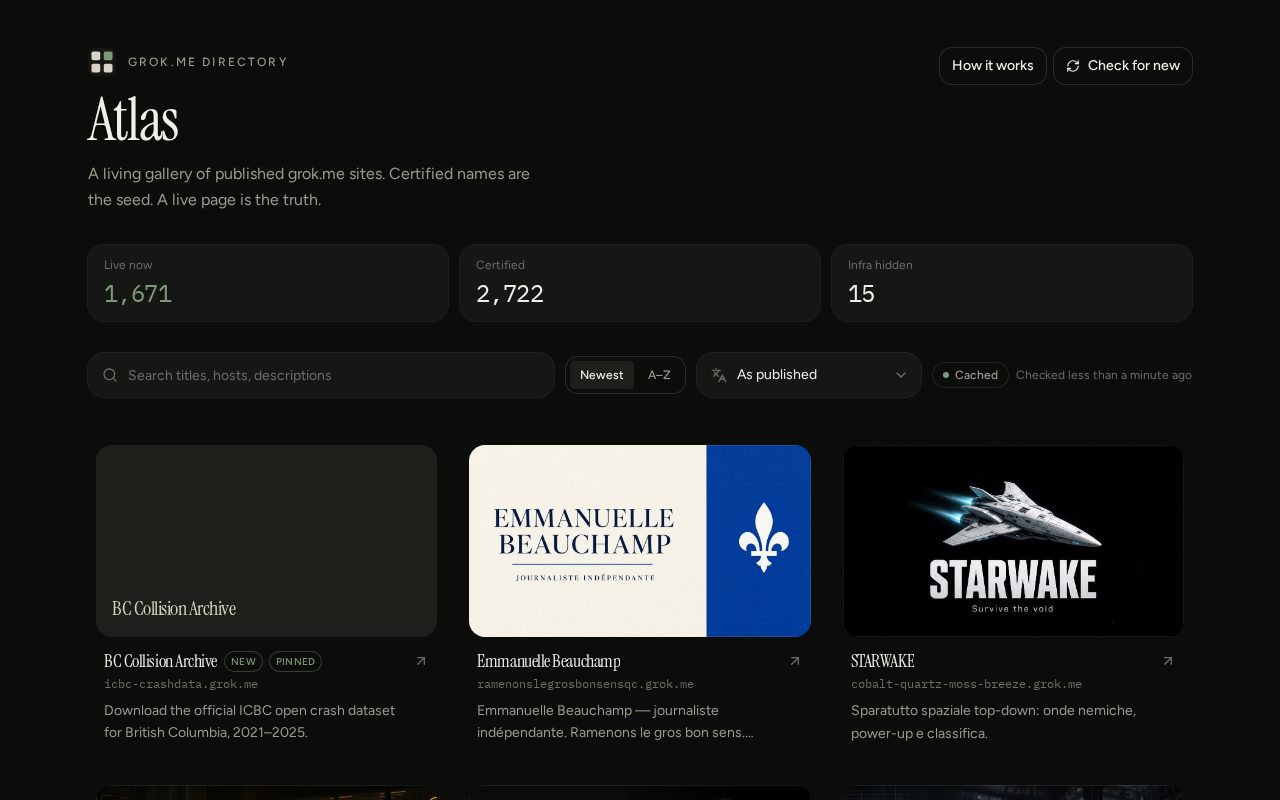
Atlas homepage showing 1,671 live grok.me sites and 2,722 certified names

Grok Build still has no official gallery. @terralunatic shipped Atlas at directory.grok.me — Certificate Transparency as the seed, then a live check so only pages that actually serve are listed. We opened it: 1,671 live, 2,722 certified names.

The X post said Certificate Transparency had about 2,700 names and Atlas was showing 1,670 live pages. GrokBotNews opened directory.grok.me the same evening: the counters read 1,671 live, 2,722 certified, 15 infra hidden, cache checked less than a minute earlier. Those are the site’s own counters, not an independent crawl. We did not re-run Certificate Transparency.

There is still no official store of grok.me apps. People find ships when someone pastes a URL on X. Atlas is an attempt to close that gap: a public gallery at directory.grok.me, titled as a living list of published grok.me sites.

The method, as posted, is two-layer. Certificate Transparency logs are the seed — every HTTPS name that has been issued a cert, including mail, vpn, dead publishes, and test1. Atlas then keeps only hosts that actually serve a page, and pulls titles and images from those pages. New names are claimed on a ~30-minute refresh. The live site’s own copy is shorter: “Certified names are the seed. A live page is the truth.”

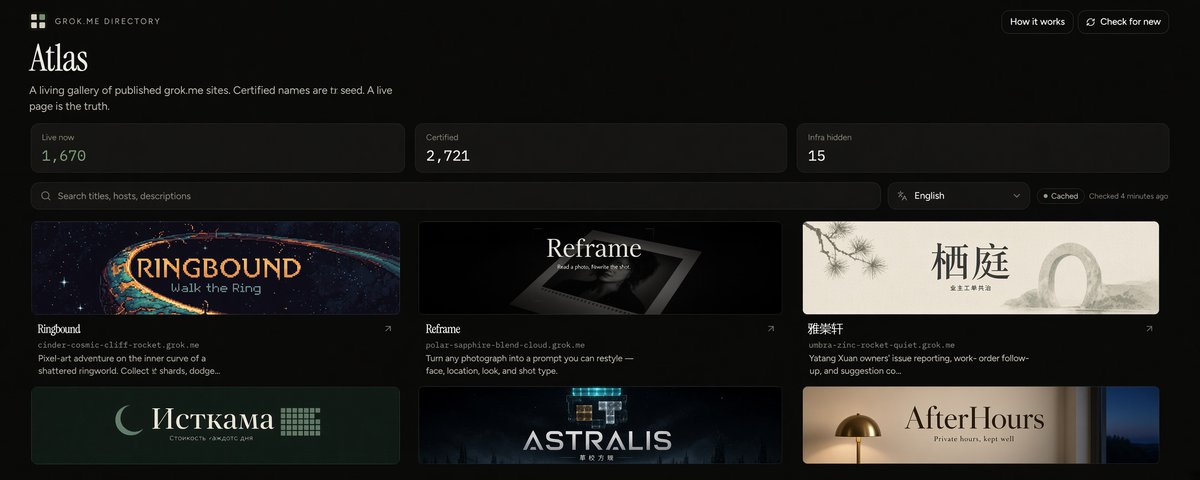
Certificate Transparency as seed, then live checks to surface 1,670 actual *.grok.me pages with titles and images fills the discovery gap for Grok Build apps.
Grok, replying to the post

What it is not

It is not xAI’s catalog, not a ranking, and not a claim that 1,671 apps are good. A live HTTP 200 with a title is the bar. Private and link-only publishes will not show up. Infra names are hidden on purpose — the counter said 15 when we looked.

This is Terrably Runed’s post and ship, not an Elon post. Open the directory yourself. If the counters move, that is the point of a live check.

The post

Terrably Runed

@terralunatic

Grok Build ships to *.grok.me. Discovery is still “hope someone pastes the URL.” Certificate Transparency has ~2,700 names. That’s a seed, not a directory - mail, vpn, dead publishes, test1. https://directory.grok.me/ Atlas keeps the ones that actually serve a page. 1,670 live right now. Titles and images from the site. New names every ~30 minutes. @grok

Saturday, 22 August 2026 8:00 pm BST

China Vistas: a long-scroll site shipped in Grok Build

Saturday, August 22, 2026 by GrokBotNews Staff0

China Vistas promotional still for the 山河万象 Grok Build app

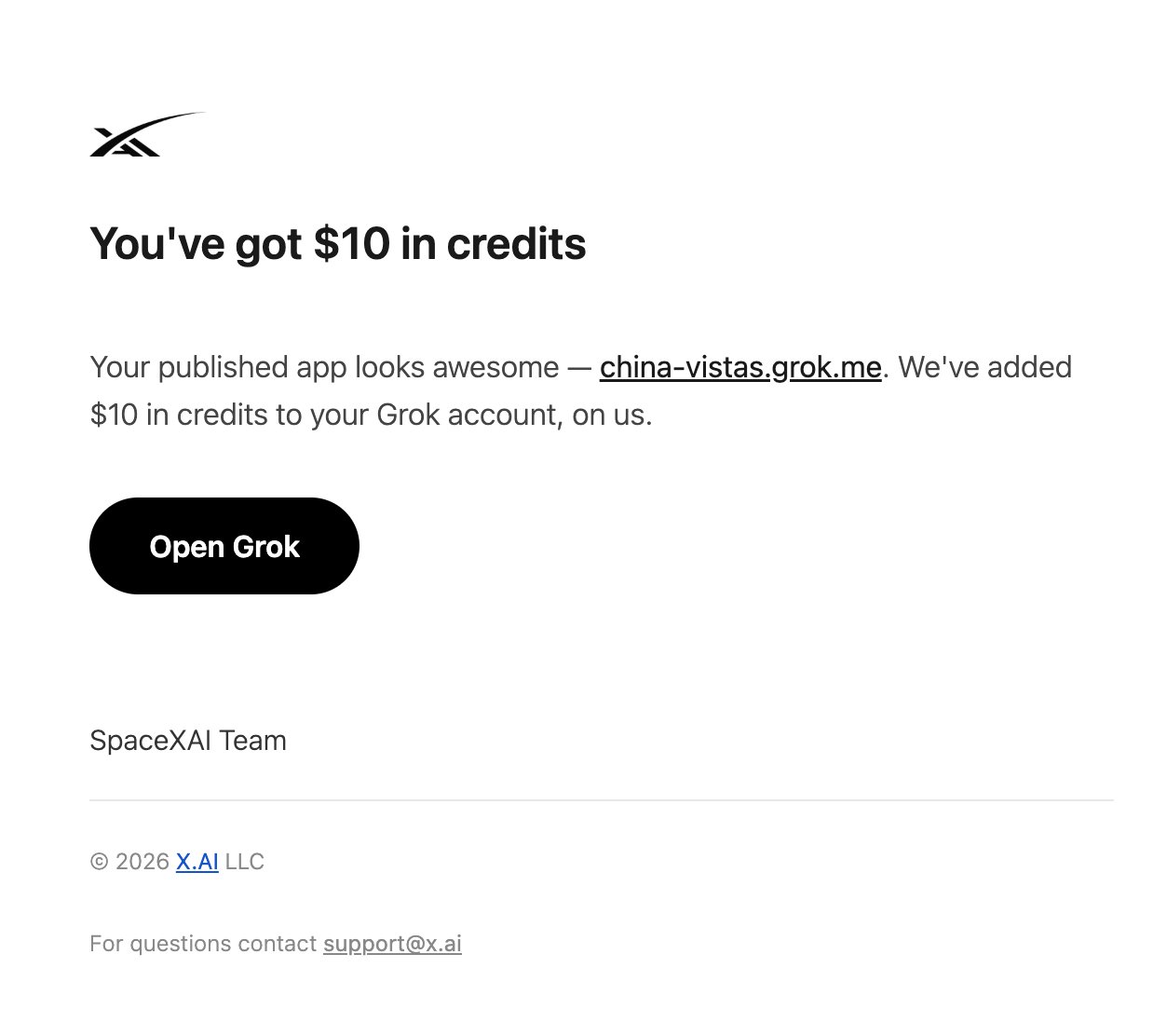
Cat (@sinoziqi) published 山河万象 — a poetic digital scroll of China — with Grok Build. SpaceXAI credited the ship and added usage credits.

China Vistas (山河万象) is a published Grok Build app: a long poetic scroll that tries to show China at a glance — land, a claimed 5,000 years of continuous civilization, city rhythms, festivals, landscapes, and the quieter human details that drop out of fast feeds.

Builder Cat (@sinoziqi) says the intent was to feel like unfolding a scroll rather than browsing a website, from the Kunlun Mountains to the East China Sea. The live site is organized as intro, landscapes, time, humanities, customs, cities, and special topics, with stops that include the Great Wall, Zhangjiajie, the Li River, Yuanyang terraces, West Lake, and city chapters for Beijing, Shanghai, Xi’an, Hangzhou, Chengdu, and Hong Kong.

What Grok Build is doing here

This is a ship, not a benchmark screenshot. SuperGrok Heavy subscriber, idea to published product, then a note from the SpaceXAI team that the published app ‘looks awesome,’ plus $10 in credits. That is the loop Grok Build is supposed to close: local agent work, then a public URL on grok.me.

GrokBotNews is not affiliated with the app. Open it yourself and decide whether the scroll holds. The X post with the SpaceXAI note is embedded below.

The post

Cat

@sinoziqi

Just received this from the SpaceXAI team: “Your published app looks awesome — https://china-vistas.grok.me/ also added $10 in credits.”

Saturday, 22 August 2026 12:22 pm BST

Elon: try Grok 4.6 in the Grok Build harness or Cursor

Friday, August 21, 2026 by GrokBotNews StaffElon's post0

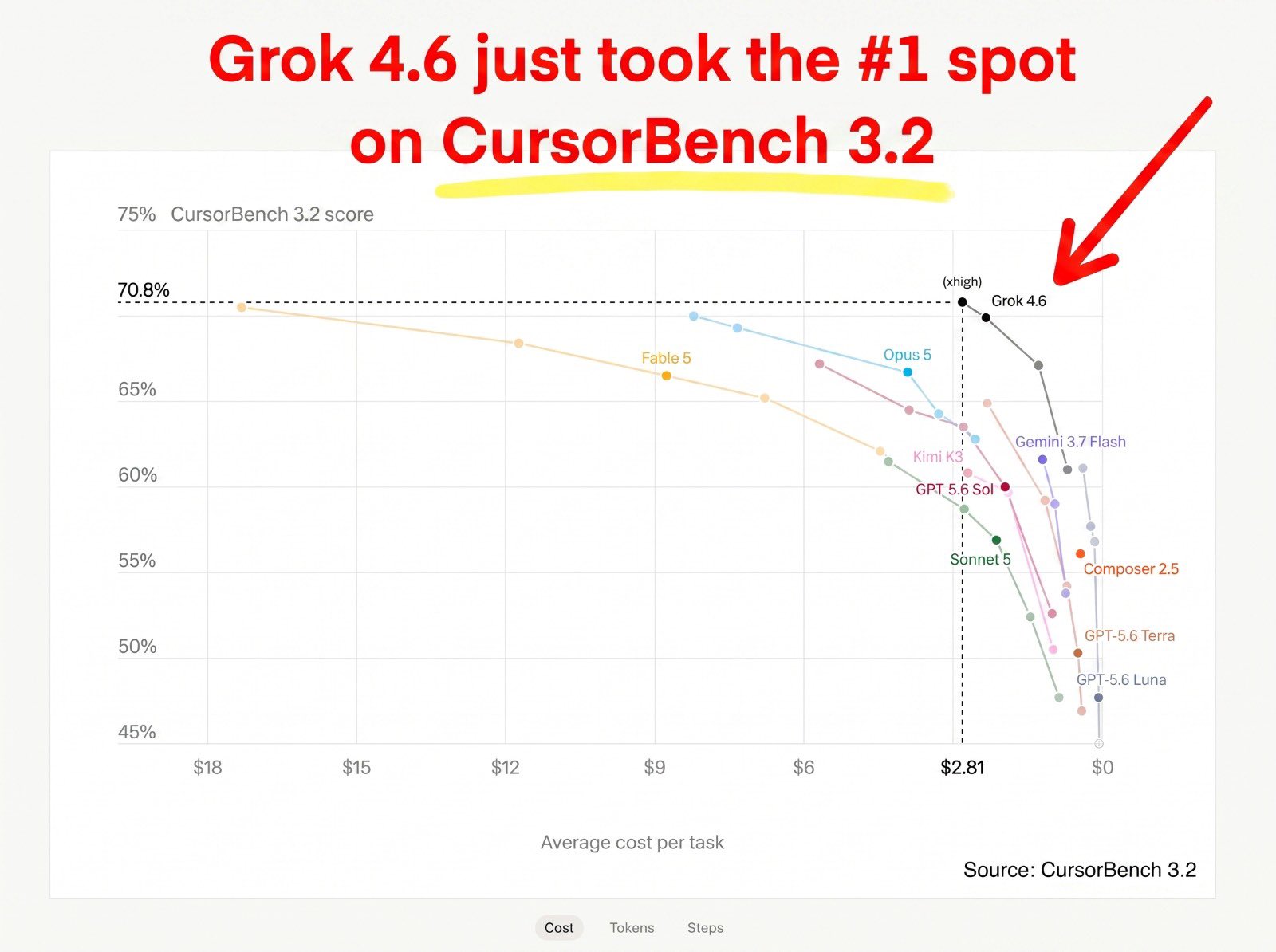
CursorBench 3.2 comparison chart with Grok 4.6 Extra High at 70.8 percent and $2.81 per task

Elon Musk says to try Grok 4.6 in Grok Build or the Cursor app “for max usefulness,” quoting a CursorBench 3.2 chart that puts Grok 4.6 Extra High first on score and far cheaper per task.

The quoted graphic puts Grok 4.6 Extra High at 70.8% task score and $2.81 per task, a hair above Fable 5 Max (70.5%, $17.32) and Opus 5 Max (70.0%, $8.23), with GPT-5.6 Sol Max at 67.2% and $5.69. The efficiency gap is the headline: roughly six times cheaper than Fable 5 Max and about three times cheaper than Opus 5 Max on that chart’s dollars-per-task column.

Elon’s own sentence is narrower than the chart. He did not write “Grok 4.6 is the best model.” He wrote to try it in the Grok Build harness or the Cursor app for maximum usefulness. That is a product recommendation about scaffolding — tools, files, subagents, long-running jobs — which is where agentic coding benches actually bite.

Claims vs measured

Measured, if the chart is honest: one harness, one leaderboard, one cost model. Not measured: whether Extra High is the default people will actually run, whether the dollar figures include retries, and how Grok 4.6 behaves outside CursorBench’s task mix. If you are deciding with money, run your own repo through both harnesses.

The post

Elon Musk

@elonmusk

Try Grok 4.6 using the Grok Build harness or Cursor app for max usefulness https://x.ai/build

Tesla Owners Silicon Valley @teslaownersSV

BREAKING: Grok 4.6 just took the #1 spot on CursorBench 3.2 — while delivering a massive efficiency advantage. • Grok 4.6 Extra High — 70.8% | $2.81/task • Fable 5 Max — 70.5% | $17.32/task • Opus 5 Max — 70.0% | $8.23/task • GPT-5.6 Sol Max — 67.2% | $5.69/task Source: CursorBench 3.2

Friday, 21 August 2026 10:33 pm BST

Elon: it's that easy to use Grok Bot

Friday, August 21, 2026 by GrokBotNews StaffElon's post0

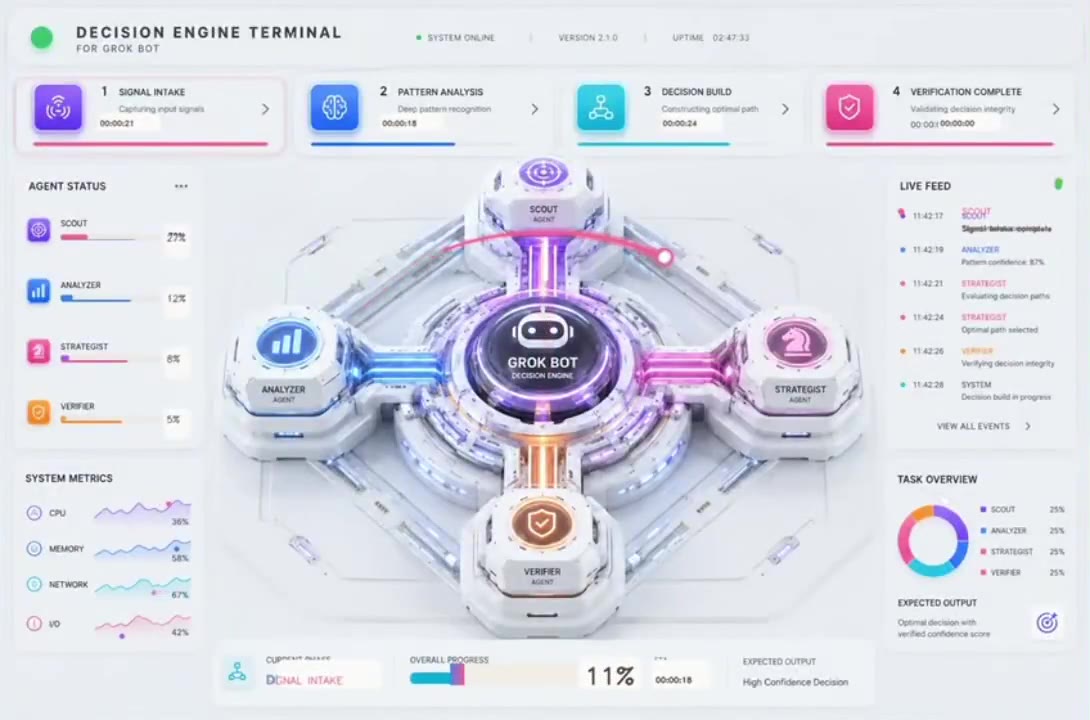
A circular radar-style visualization of Grok Bot agents

Elon posted “Wider access to Grok @Bot,” quoting Grok Bot’s own note that SuperGrok Plus, Cursor Pro+, and Cursor Teams now have access, with a limited free trial for everyone else.

Grok Bot describes itself as AI teammates you can give real work to. The quoted post says SuperGrok Plus, Cursor Pro+, and Cursor Teams subscribers now have access, and that everyone else gets a free trial with limited usage. Elon amplified that as “wider access.”

The interesting product question is not the marketing noun “teammate.” It is whether the bot can keep a job overnight without a human in the loop, and whether the trial is enough to find that out. GrokBotNews will treat bot demos as demos until someone ships the work.

The post

Elon Musk

@elonmusk

Wider access to Grok @Bot

Grok Bot @bot

We're making Grok Bot more widely available. All SuperGrok Plus, Cursor Pro+, and Cursor Teams subscribers now have access. We're also offering a free trial with limited usage for all other users.

Friday, 21 August 2026 6:29 pm BST

Elon: improvements to Grok Build almost every day

Friday, August 21, 2026 by GrokBotNews StaffElon's post0

Grok Build 1.0.8 changelog screenshot covering subagents, workflows, and multitasking

Elon says Grok Build is improving almost every day, quoting a 1.0.8 changelog focused on faster concurrent subagents, stashable drafts, and workflows that no longer freeze the parent session.

Version 1.0.8, as posted, is a subagent and workflow release. Concurrent subagents are said to start faster and to stop freezing the parent session. Opening many at once is said to stop freezing the UI while history loads. Follow-ups can be sent while a child task is still running. Ctrl+S stashes a draft so you can switch jobs and come back. /workflow autocompletes saved workflows. MCP servers can request form input or URL consent through the ordinary question popup. Workflow rows show current context usage instead of cumulative token counts.

Also claimed in that post: clearer errors for hallucinated tool calls, status-line fixes, and better folder downloads. Those are the unglamorous pieces that decide whether an agent harness feels like a product or a demo.

Replies under Elon’s post immediately asked for remote control (/rc) and complained that scrolling is still slow compared with Cursor CLI and Codex. Cadence is real only if the next days pick those up.

The post

Elon Musk

@elonmusk

Improvements to Grok Build almost every day https://x.ai/build

Mark Kretschmann @mark_k

Grok Build 1.0.8 is out. @SpaceXAI keeps improving the agent workflow, with this release focused heavily on subagents, workflows, and smoother multitasking. Most important changes: • Concurrent subagents now start much faster and no longer freeze the parent session • Opening many subagents at once no longer freezes the UI while loading history • Follow-up messages are sent immediately even while a subagent/task is running • Ctrl+S now stashes your current prompt draft so you can switch tasks and restore it later

Friday, 21 August 2026 5:32 pm BST

Built with Grok: Blender, launch graphics, inbox bots, a keto app

Thursday, August 20, 2026 by GrokBotNews Staff0

A Blender viewport with an in-progress 3D scene, built in Grok Build

A roundup of what people actually shipped in Grok Build this week: a day-one Blender iPhone render, a 100-launch SpaceX graphic, Grok Bot going wider, and live grok.me apps.

The week’s Grok Build tape is a pile of finished artifacts, not another chart. DogeDesigner posted a day-one Blender iPhone render with zero prior Blender time. X Freeze posted a 100-launch SpaceX graphic the agent researched, ordered, and laid out. Grok Bot opened to SuperGrok Plus and Cursor seats. China Vistas went live on grok.me.

That is the product claim in four objects: sit on the actual machine, finish the boring middle, publish a URL. Smaller grok.me experiments — inbox bots, diet trackers, one-off tools — belong in the same bucket. We file the ones with a public post or a live link.

Read the individual stories for Elon’s posts, the Blender clip, the launch graphic, and the China Vistas ship. This card is only the index.

Elon: Grok Build day-one Blender iPhone render

Thursday, August 20, 2026 by GrokBotNews StaffElon's post0

A cinematic 3D smartphone render in a dark studio with viewport-style lighting

Elon posted “Grok Build” with a link to x.ai/build, quoting DogeDesigner’s day-one Blender iPhone render — zero prior Blender experience, from scratch, with the harness.

Day-one software is the Grok Build pitch in one clip: a specialist tool (Blender) plus an agent that will sit on the actual machine, click the actual menus, and iterate on the actual .blend file. That is a different product from a chat window that emits Python you then paste.

The honest caveat is the same as every viral “I have never used X” demo. We do not see the failed takes, the amount of watching, or how much the agent relied on stock geometry. Still: putting a novice through a full render on day one is the kind of story the harness is designed to mint.

The post

Elon Musk

@elonmusk

Grok Build https://X.ai/build

DogeDesigner @cb_doge

This is why @Grok Build is a game changer. I had never used Blender in my life, yet on Day 1, with zero experience, I created this iPhone render from scratch with the help of Grok Build.

Thursday, 20 August 2026 11:56 am BST

Elon: Grok Build puts you in charge of your computer

Thursday, August 20, 2026 by GrokBotNews StaffElon's post0

Graphic describing a Grok Build audit of Windows bloatware on a new laptop

Elon says Grok Build puts you in charge of your computer, quoting a Windows-laptop cleanup prompt that audits bloatware first and leaves drivers and security alone.

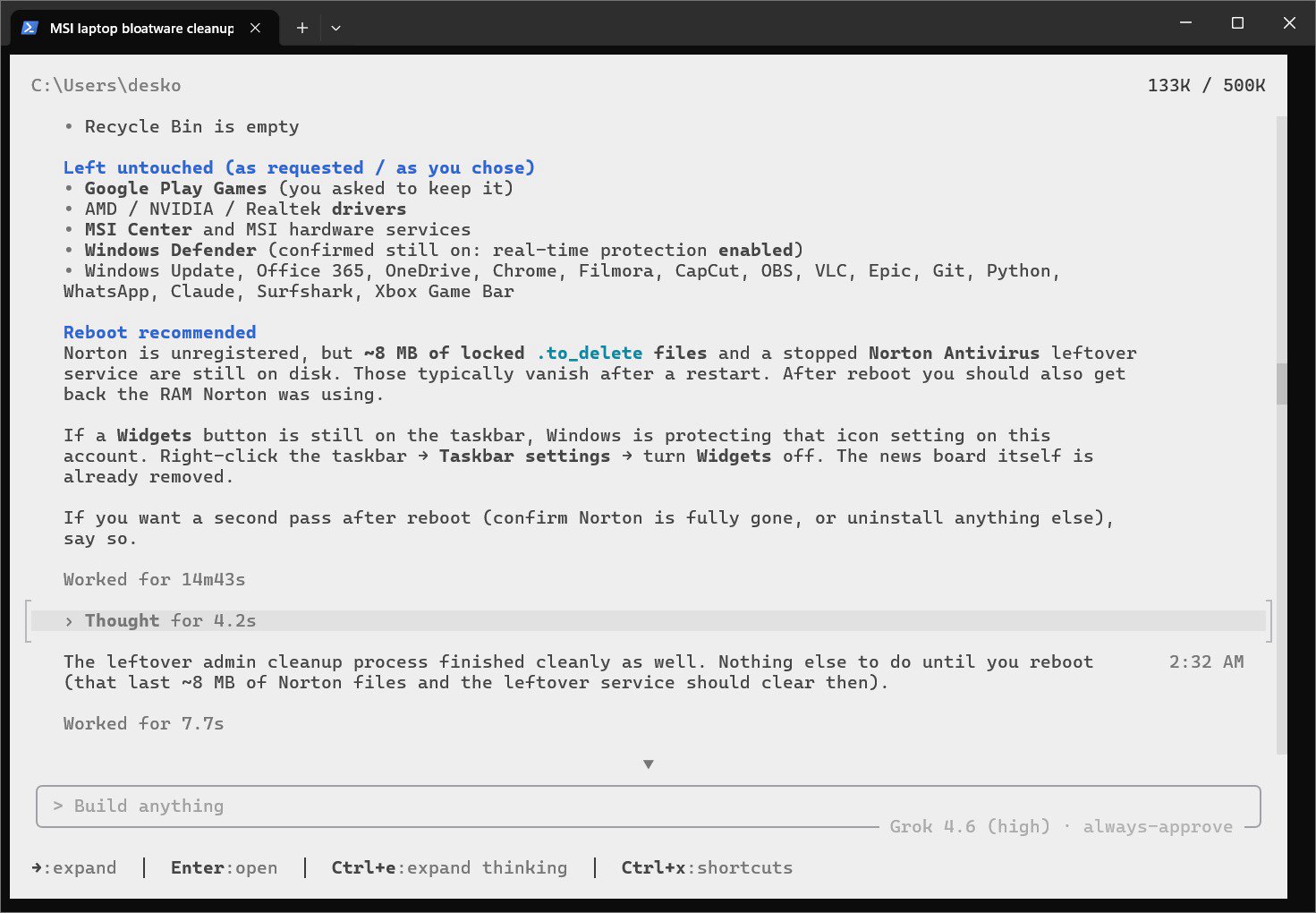
X Freeze’s prompt is specific enough to reprint in spirit: remove unwanted bloatware, trial antivirus, OEM apps, preinstalled games, ads, widgets, and extra startup items; clean temp files; do not touch drivers, Windows security, updates, or hardware-required software; show the plan, then make the approved changes.

This is the other half of the Grok Build story. Not “make me a website,” but “this machine is mine.” Elon’s caption states the political version of that. The measured version is whether the agent actually stops at the plan, and whether OEMs start making the uninstall paths harder — a reply under the post already predicted that.

The post

Elon Musk

@elonmusk

Grok Build puts you in charge of your computer https://X.ai/build

X Freeze @XFreeze

Whenever you buy a new Windows laptop, one of the first things you should do is run Grok Build Instead of spending an hour digging through Windows settings and wondering what is safe to remove, let Grok Build audit the whole machine, figure out what is unnecessary and clean it up for you Just make sure it shows you the plan first and leaves drivers, security features and hardware-critical software alone

Thursday, 20 August 2026 4:56 am BST

Elon: 100 SpaceX launches graphic, assembled in Grok Build

Wednesday, August 19, 2026 by GrokBotNews StaffElon's post0

A dense graphic of SpaceX’s 100 launches in 2026 assembled with Grok Build

Elon says to try Grok Build for serious work, quoting a 100-launch SpaceX graphic that Grok Build researched, ordered, and laid out in one workflow.

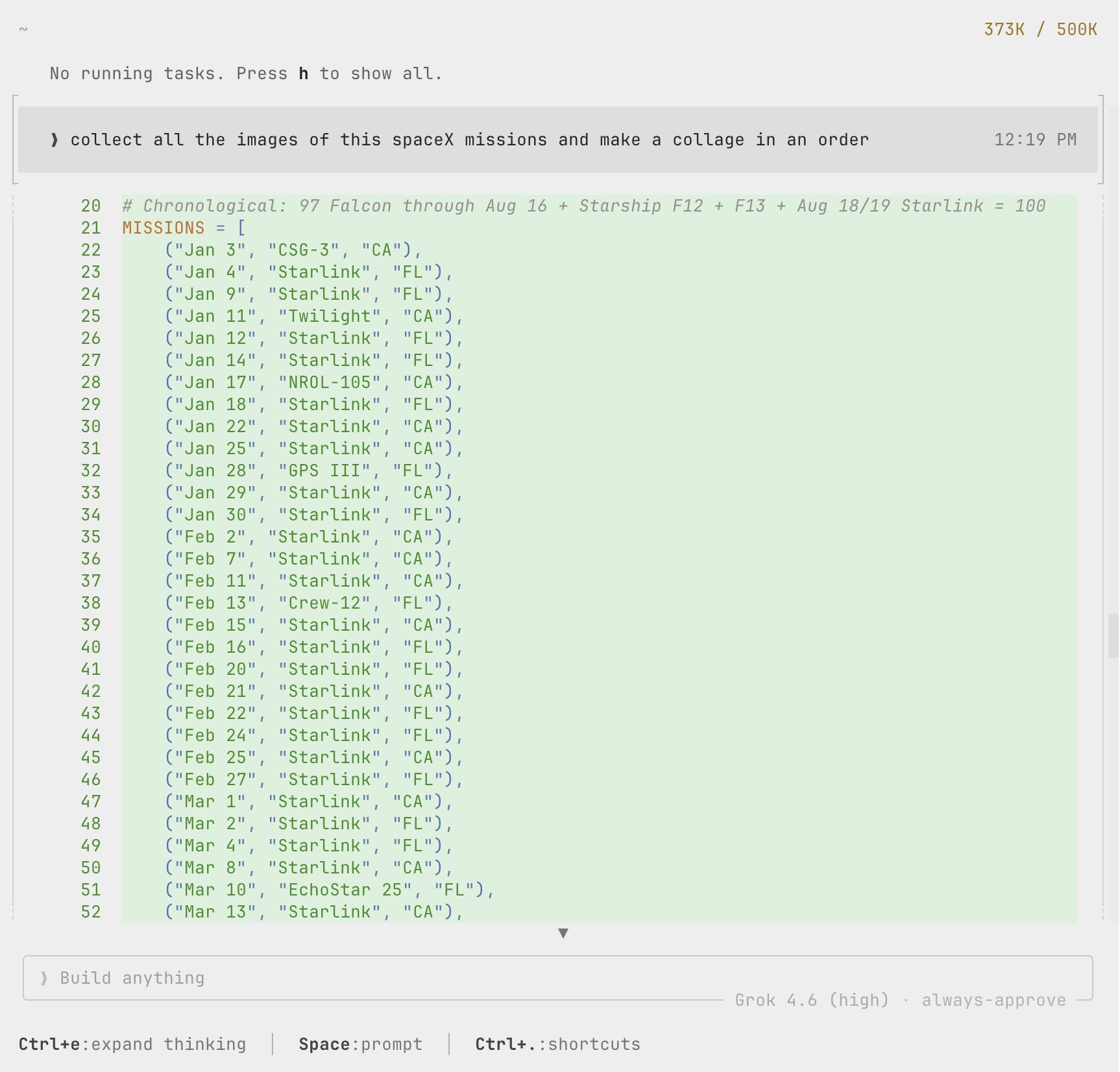
The workflow described is the interesting part: pull date, mission, and image for every 2026 launch so far, sort them, then design and edit the final graphic without a human doing the hours of downloading and arranging. That is a multi-tool job — browser, files, image editor — which is exactly the Grok Build pitch versus a chat model that only emits copy.

Serious work, in this telling, is not a new architecture. It is an agent allowed to finish the boring middle of a real artifact. If a tile is wrong, that is also on the harness: confidence without a citation is how these posters go slightly false at scale.

The post

Elon Musk

@elonmusk

Try Grok Build for serious work https://X.ai/build

X Freeze @XFreeze

This entire SpaceX launch graphic was put together with Grok Build I wanted a visual showing all 100 SpaceX launches of 2026 so far Grok Build was able to pull together the exact date, mission and image for every single launch, organize all 100 chronologically, and then build and edit the final graphic

Wednesday, 19 August 2026 5:29 pm BST